
Look, 2025 is barely in the rearview mirror and people are already losing their minds over what’s coming next. I’ve been knee-deep in this stuff for years — testing tools at 2 a.m., cursing when something breaks a workflow I spent three days building, and quietly fist-pumping when a new feature saves me four hours on a client project. So yeah, I feel pretty good about calling the shots on what’s actually going to matter in 2026.
Here are the tools that are already sneaking into my dock and staying there. No fluff, no “game-changer” nonsense — just the ones that work.
Productivity & Everyday Work (The Ones That Actually Save Time)
2026 is the year the “AI assistant” hype finally calms down and the real workers separate from the noise.
Top Dogs Right Now
- Cursor – If you write any code at all (even copy-paste React components), this thing is stupidly good. It’s basically VS Code but the AI actually understands your whole project. I rebuilt a client’s messy Next.js app in like 40% of the time I budgeted. Still blows my mind.
- Notion AI 2.0 (yeah, the one that quietly dropped in November) – Finally stops hallucinating when you ask it to turn meeting notes into tasks. I use it daily now without wanting to throw my laptop.
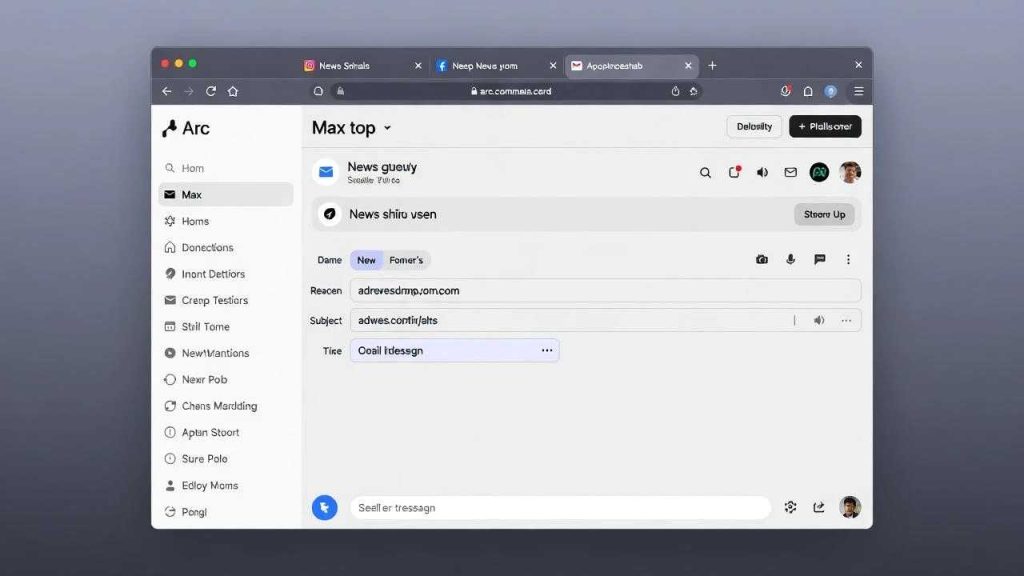
- Arc + Max – The browser itself got scary smart. Tabs summarize themselves, it writes emails for you in your voice, and the new “Spaces” feature is low-key the best project switcher I’ve ever used.
The New Kid Everybody’s Sleeping On
Mem X – This one came out of nowhere. It’s like if Roam Research and ChatGPT had a baby that actually remembers everything you’ve ever told it. I dumped ten years of scattered notes in there and asked it random stuff like “What did Sarah say about pricing last March?” — found the exact message in two seconds. Freaky, but useful.
Creative Tools That Don’t Suck Anymore
Remember when AI art looked like a fever dream? 2026 is when normal people finally trust the output.
Image & Video Winners
- Midjourney v7 – Dropped late 2025 and it’s… different. Way better at hands, text in images, and consistent characters. I’ve been using it for client mood boards and nobody can tell it’s AI anymore.
- Runway Gen-4 – Video is finally usable. 1080p, 20-second clips that actually match your prompt. I made a product hype reel for a buddy’s startup in an afternoon. Still needs some love in After Effects, but 80% of the work is done.
- Kling 2.0 (yeah, the Chinese one) – Don’t sleep on it just because it’s not American. Motion brush and camera controls are insane.
Writing That Doesn’t Sound Like a Robot Had a Stroke
Claude 3.5 (now 4? whatever they’re calling it) still crushes everything for long-form. I throw rough outlines at it and get back blog posts I only have to tweak 20%. Sorry GPT fans, it just wins right now.
Business & Money Stuff (Where the Real Money Gets Made)
The Boring Tools That Print Cash
- Perplexity Pro + Collections – I canceled my Bloomberg terminal subscription. Fight me.
- ElevenLabs Prime Voice – Cloning your own voice in 4K quality is wild. I made onboarding videos for my VA team and they thought I spent days recording.
- Fireflies + Grain – Meeting notes + auto-clip funny moments. My team actually watches the highlights now instead of skipping meetings.
| Tool | Best For | Price (2026 est.) | “Holy crap” Moment I Had |
|---|---|---|---|
| Cursor | Coding faster than should be legal | $20/mo | Rewrote 400 lines in 11 mins |
| Mem X | Never losing an idea again | $12/mo | Found a note from 2019 instantly |
| Runway Gen-4 | Video without a film degree | $35/mo | Client thought we hired a studio |
| Kling 2.0 | Insane motion control | $30/mo | Made a car commercial for fun |
The Wild Cards (Stuff I’m Betting On)
- Grok 4 – Yeah, xAI’s thing. The API is dirt cheap and it just… gets dark humor. Finally an AI that doesn’t lecture me when I ask dumb questions.
- Agentic workflows in Zapier – Make.com is shaking in its boots. I built an agent that handles my entire client onboarding sequence now. Zero human touch after the first email.
Key Takeaways
- Stop chasing every shiny new model. Pick 2-3 tools that fit your actual job and master them.
- The winners in 2026 are the ones that remember context across weeks, not seconds.
- Video is the new battleground — if you’re not using AI video yet, you’re already behind.
- Your voice and face are about to become cloneable at scary quality. Get comfortable with it.
FAQ
Q: Is ChatGPT dead in 2026?
Nah, still great for quick dumb stuff, and it’s free. But for anything I actually care about, I’m on Claude or Cursor.
Q: Which tool should a total beginner start with?
Arc browser. Seriously. Install it, turn Max on, and just use your computer normally for a week. You’ll wonder how you lived without it.
Q: Are we all getting replaced?
People who use these tools will replace people who don’t. Seen it every year since 2018.
Q: Any tools you tried and hated?
Adobe Firefly still feels like it’s stuck in 2023. And anything that brags about “10M tokens context” but takes 45 seconds to respond — hard pass.
Q: What about free options?
Grok 3 is still free with decent limits, Perplexity free tier is generous, and Leonardo.ai hasn’t started charging for basic images yet. Plenty to play with before you drop cash.
Q: Will this list be trash by June?
Probably. Come yell at me on Twitter if I missed something obvious.
If you want my full Notion setup with all these tools linked and my exact prompts, I threw it together here: my 2026 toolkit template (it’s free, chill).
Anyway, that’s what’s actually on my computer right now. Your mileage may vary, but these are the ones that stuck after I tried literally everything else. Happy making stuff in 2026.