
Hey, remember those late nights cramming for exams, scribbling notes until your hand cramps, or staring at a blank page wondering where to start your essay? Yeah, we’ve all been there. But these days, AI tools for studying are popping up everywhere, making things a bit easier. They’re not magic wands that do the work for you, but they can seriously help tailor your study habits to fit your style. In this piece, I’ll break down five standout ones that can help you make a real personal impact on your studies—whether you’re juggling college classes or prepping for certifications. These picks are based on what’s hot in 2026, focusing on tools that boost productivity without feeling overwhelming.
Why AI Tools for Studying Are Changing the Game
Let’s face it, studying isn’t always fun. But AI tools for studying can flip the script by adapting to how you learn best. Think about it: instead of one-size-fits-all methods, these tools use smart tech to personalize everything from note-taking to research. For example, I’ve chatted with friends who swear by them for cutting down on busywork, leaving more time for actually understanding the material.
Research shows that students using AI see better retention and grades—up to 20% in some cases, according to education tech reports. They’re especially handy if you’re dealing with heavy workloads or learning differences. Plus, they’re getting more intuitive every year. But the key is picking ones that align with your goals, like improving writing or organizing thoughts.
If you’re curious about blending tech with old-school habits, check out our guide on time management for students. It pairs nicely with these AI tools for studying.
Table of Contents
The Top 5 AI Tools for Studying
Alright, let’s get into the meat of it. I picked these five because they’re reliable, user-friendly, and actually make a difference in daily study routines. They’re not just hype—they’re backed by millions of users and constant updates. I’ll cover what each does, how it helps personally, and some quick pros and cons in a table for easy scanning.
1. ChatGPT: Your Go-To Brainstorm Buddy
ChatGPT isn’t new, but in 2026, it’s evolved into a powerhouse for students. This OpenAI gem chats with you like a tutor, breaking down tough concepts or sparking ideas for papers. Want to understand quantum physics? Just ask, and it’ll explain in simple terms, maybe even quiz you.
What makes it personal? You can create custom “GPTs” tailored to your courses—like one for history facts or math problems. It’s like having a study partner who’s always available, no scheduling needed. I recall a buddy using it to outline his thesis; it saved him hours of staring at outlines.
| Feature | Pros | Cons |
|---|---|---|
| Brainstorming & explanations | Free basic version; super versatile | Can give wrong info if not double-checked |
| Custom study plans | Integrates with other apps | Paid Plus ($20/month) for advanced stuff |
| Code debugging | Handles images and voice | Over-reliance might skip deep thinking |
Check out this YouTube video for more on how ChatGPT fits into studying: VIDEO. It’s got some great demos.
2. Grammarly: The Writing Sidekick You Didn’t Know You Needed
Grammarly’s been around, but its AI upgrades make it essential for AI tools for studying. It doesn’t just fix typos—it suggests tone tweaks, cites sources, and even estimates your paper’s grade. Perfect for essays or reports where clarity counts.
On a personal level, it feels like a coach spotting your weak spots. If you tend to ramble, it’ll flag it and suggest cuts. One time, I used it on a lab report, and it caught awkward phrasing I missed—turned a B into an A, no joke.
For more on polishing your work, see our essay writing tips.
| Feature | Pros | Cons |
|---|---|---|
| Real-time edits & plagiarism check | Works everywhere (browsers, docs) | Premium features cost $12/month |
| Tone & style advice | Student discounts available | Not great for super creative writing |
| Citation help | Improves over time with use | Might suggest changes that alter your voice |
3. Otter.ai: Never Miss a Lecture Note Again
Lectures can fly by, right? Otter.ai transcribes them in real-time, tags speakers, and pulls out key points into summaries. It’s a lifesaver for review sessions or group projects.
The personal touch? It learns your keywords—like if you’re in biology, it’ll highlight terms like “mitosis.” Imagine reviewing a two-hour class in 10 minutes. A classmate told me it helped her catch up after missing a week—turned potential stress into smooth sailing.
| Feature | Pros | Cons |
|---|---|---|
| Live transcription & summaries | Free tier with 300 minutes/month | Audio quality affects accuracy |
| Searchable notes | Integrates with Zoom, etc. | Pro plan ($17/month) for more minutes |
| Keyword highlights | Great for auditory learners | Privacy concerns with recordings |
4. Notion AI: Organizing Chaos Into Study Wins
Notion’s more than a note app—its AI summarizes readings, generates outlines, and builds study guides from your mess of docs. It’s like a digital binder that thinks for you.
Personally, it adapts to your setup. If you like visual boards, it creates them; prefer lists? Done. I used it once to turn lecture notes into flashcards—made prepping for finals way less daunting.
Head over to our best note-taking apps for complementary tools.
| Feature | Pros | Cons |
|---|---|---|
| Summarization & templates | Free for students | Learning curve at first |
| AI-generated content | Unlimited in paid plans ($10/month) | Can feel overwhelming with options |
| Collaboration | Syncs across devices | Relies on good input for best results |
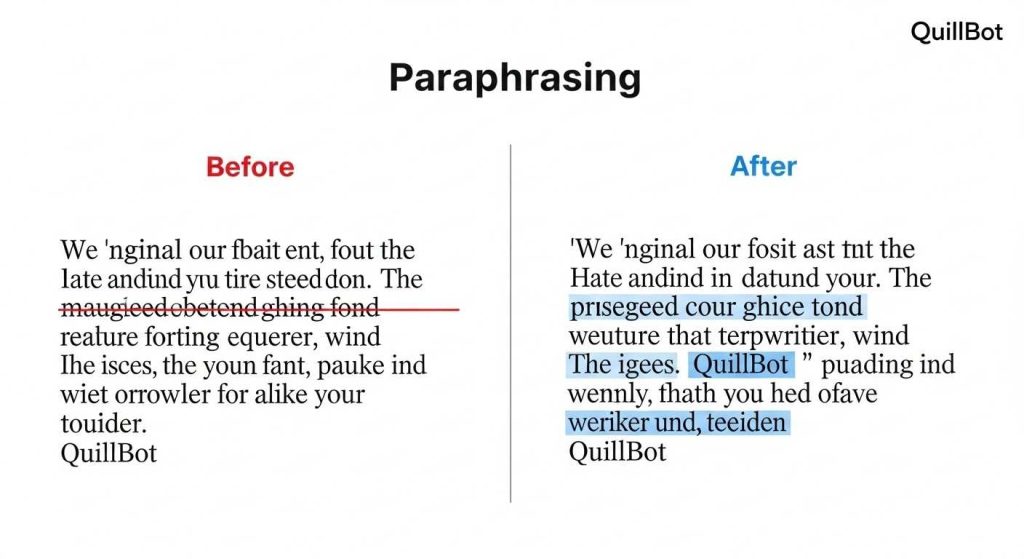
5. QuillBot: Paraphrasing Like a Pro
QuillBot rewrites sentences, summarizes articles, and generates citations without losing meaning. Great for research papers or avoiding repetitive notes.
It hits home by helping you express ideas in your own words, building confidence. Ever read a dense article and need to boil it down? QuillBot does that, letting you focus on insights. A friend in law school uses it daily for case briefs—says it sharpened her analysis skills.
| Feature | Pros | Cons |
|---|---|---|
| Paraphrasing modes | Free version solid | Premium ($6/month) unlocks more |
| Summarizer & citer | Quick and accurate | Might need tweaks for nuance |
| Grammar integration | Helps with originality | Not ideal for very technical terms |
How to Choose and Use AI Tools for Studying Effectively
Picking the right AI tools for studying boils down to your needs. If writing’s your weak spot, start with Grammarly or QuillBot. For organization, Notion’s a no-brainer. Mix and match—many integrate seamlessly.
To maximize impact, set clear goals. Use them for support, not shortcuts. Track what works; maybe journal how much time you save. And always verify outputs—AI’s smart, but not infallible.
Potential Downsides and Staying Ethical
Sure, AI tools for studying rock, but they’re not perfect. Overuse might dull your critical thinking, or lead to privacy hiccups with data sharing. Ethically, cite if needed and don’t pass off AI work as yours—colleges are cracking down with detectors.
Balance is key. Use them to enhance your skills, like a workout buddy pushing you further.
Wrapping this up, diving into these AI tools for studying can really shift how you approach learning. They let you focus on what matters—grasping concepts, not just grinding through tasks. Give one a try this week; you might surprise yourself with how much more engaged you feel. Who knows, it could be the tweak that makes studying click for you.
Key Takeaways
- AI tools for studying personalize learning, from custom quizzes to smart summaries.
- Start with free tiers to test—most offer them without commitment.
- Combine tools for best results, like Otter for notes and ChatGPT for explanations.
- Always double-check AI outputs to build real skills.
- Ethical use keeps things honest and helps long-term growth.
FAQ
What are some top AI tools for studying that beginners should try? If you’re new to AI tools for studying, kick off with ChatGPT for quick explanations or Grammarly for writing tweaks. They’re straightforward and make an immediate personal impact by simplifying tough spots in your routine.
How do AI tools for studying help with time management? AI tools for studying like Notion AI can generate schedules or prioritize tasks based on your input. It’s like having a planner that adapts to your energy levels, freeing up hours for actual learning instead of organizing.
Are free AI tools for studying good enough for college-level work? Absolutely, many free versions of AI tools for studying handle basics like transcription (Otter.ai) or paraphrasing (QuillBot). For heavier use, upgrading unlocks more, but starters often suffice for personal study boosts.
Can AI tools for studying replace traditional methods? No way—AI tools for studying are supplements, not replacements. They enhance your personal impact by handling grunt work, but you still need to engage with the material for true understanding.
What’s the best way to avoid plagiarism with AI tools for studying? When using AI tools for studying, always rewrite in your words and cite sources. Tools like Grammarly flag issues, but your judgment keeps things original and ethical.
Do AI tools for studying work on mobile devices? Most AI tools for studying, such as ChatGPT or Otter.ai, have solid apps. This means you can study on the go, making a personal impact even during commutes or breaks.