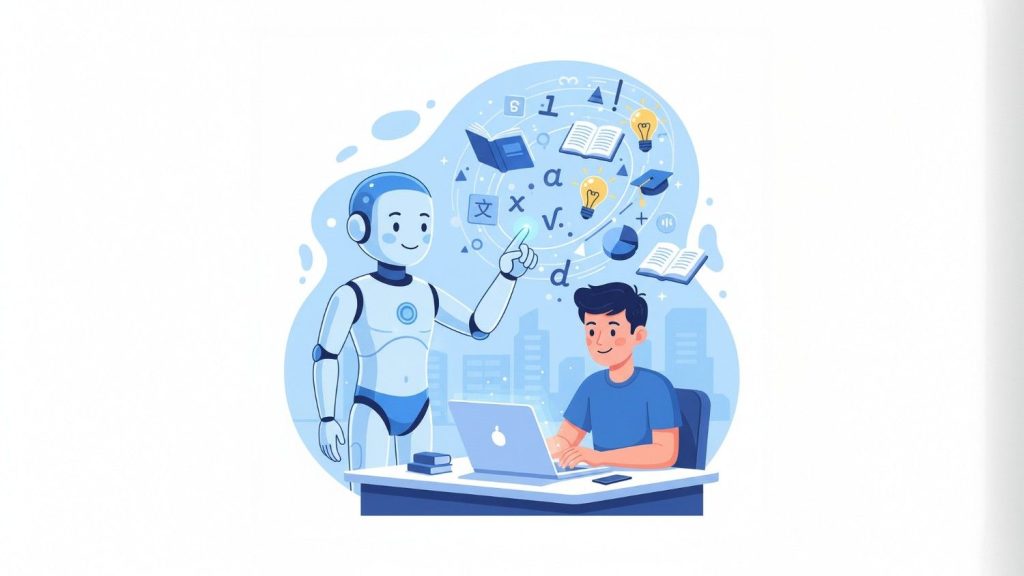
Ever feel like learning a new skill drags on forever? You dive into books or videos, but half the time, you’re stuck on basics or skipping over stuff you already know. That’s where AI steps in—like having a tutor who’s always available, tailoring everything just for you. I’ve noticed that when I use AI this way, things click quicker, whether it’s picking up coding or brushing up on history. It’s not about replacing real effort; it’s about making that effort count more.
Here are some quick key points to get you started:
- AI adapts to your pace: It explains concepts simply or dives deep based on what you need, helping you skip the fluff.
- Practice makes perfect, faster: Tools like quizzes and examples from AI mean you test yourself right away, spotting gaps early.
- It’s free and flexible: Most basic AI tutors don’t cost a dime and work anytime, but watch for accuracy—always double-check facts.
- Potential pitfalls exist: Over-relying on AI might make you lazy about thinking deeply, so mix it with hands-on practice.
This approach seems promising for most folks, though results vary depending on how you use it. Research suggests personalized learning boosts retention, but it’s no magic bullet if the topic’s super controversial or hands-on heavy. Still, for everyday skills, it leans toward making you sharper quicker without the overwhelm.
Getting the Basics Right
First off, think about why this even works. AI isn’t some distant robot; it’s like a smart friend who pulls from tons of info to guide you. You ask a question, and it breaks it down, no judgment if you mess up.
Tools That Make It Happen
Not all AI is the same. Start with something straightforward like ChatGPT—it’s free and handles most stuff well. From there, you can level up.
Okay, now let’s dig into the details. I’ve pulled together what I’ve learned from trying this out myself, plus some solid tips that have helped speed things up without feeling robotic or forced.
Why AI Beats Traditional Learning Methods
You know how school sometimes feels one-size-fits-all? AI flips that. It meets you where you are, whether you’re a total newbie or just need a refresher. I’ve found it especially handy for tricky subjects like math or languages, where getting stuck can kill your motivation.
The Power of Personalization
One big win is how AI customizes explanations. Say you’re learning guitar chords. Instead of a generic video, tell the AI your skill level, and it spits out steps tailored to you. For example, it might say, “Start with open chords if you’re new—here’s a simple exercise: strum G to C, then add a rhythm.” That kind of tweak makes progress feel immediate.

Instant Feedback Loops
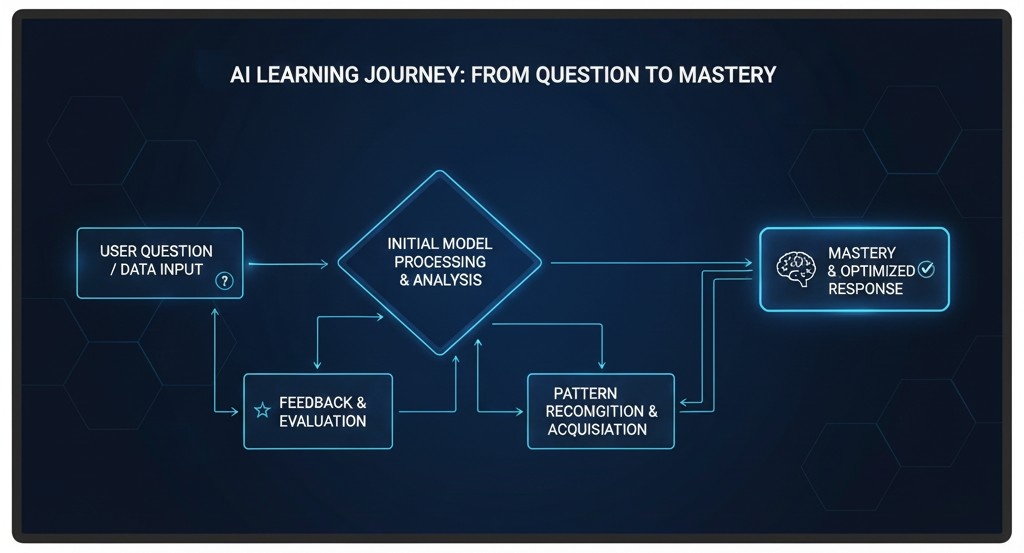
Nothing slows you down like waiting for answers. With AI, you get quizzes on the spot. I remember using it to practice Spanish vocab— it’d quiz me, correct gently, and suggest why I mixed up words. Studies show this quick feedback helps info stick better, kind of like having a coach spotting your form in the gym.
Here’s a quick table of how feedback types compare:
| Feedback Type | Traditional Way | AI Way |
|---|---|---|
| Speed | Days (waiting for teacher) | Seconds |
| Cost | Often paid classes | Mostly free |
| Customization | Group level | Just for you |
| Examples | Graded papers | Interactive quizzes |
Picking the Best AI Tools for Your Needs
Not every AI is built the same. Some are great for quick facts, others for deep dives. I’ve tinkered with a few, and here’s what stands out.
Free Starters to Try Today
Jump in with ChatGPT or Google Gemini—they’re accessible and don’t require fancy setups. Claude’s another good one for more thoughtful responses. These handle basics like “Explain quantum physics like I’m 10” without missing a beat.
For a real boost, check out this YouTube video where a guy breaks down learning 10x faster with AI.
It’s straightforward and shows prompts in action—worth a watch if you’re visual.
Advanced Options for Serious Learners
If you want more, apps like Khan Academy’s AI tutor or Duolingo’s chat features add structure. Paid versions of ChatGPT give you extras like file uploads for reviewing your notes. I’ve used them to analyze my own writing, and it pointed out patterns I never saw, saving hours.
Strategies to Make AI Your Everyday Tutor
Alright, tools are one thing, but how do you actually use them? It’s all about smart habits. Don’t just ask random questions—build a system.
Crafting Killer Prompts
The secret sauce is how you phrase things. Vague prompts get vague answers. Try this: “Act as a history tutor. Break down the causes of World War II in simple steps, with examples, then quiz me on three key events.” Boom—structured and engaging.
Here are some prompt ideas that have worked for me:
- “Explain [topic] like I’m 12, then ramp up to expert level in five steps.”
- “Create a 30-day plan to learn [skill], with daily goals and resources.”
- “Quiz me on [subject] with 10 questions, explain wrong answers gently.”
Bold those key phrases in your mind—they make AI shine.
Building Habits for Long-Term Gains
Mix AI with real practice. After an explanation, apply it right away, like coding a simple program if you’re learning Python. I’ve noticed blending this with journaling—what worked, what didn’t—keeps momentum going. And hey, for more on building habits, check out our guide on top productivity hacks with AI.
Handling Roadblocks
Sometimes AI hallucinates facts, so verify with a quick search. Or if it feels too easy, challenge it: “Give me counterarguments to this idea.” That keeps you thinking critically.

Overcoming Hurdles and Staying Motivated
No tool’s perfect. AI can make you lazy if you’re not careful—I’ve caught myself copying answers without understanding. Combat that by explaining back in your own words, like the Feynman technique: teach it as if to a kid.
Also, privacy matters. Stick to general queries if you’re wary. And for hands-on skills like cooking, use AI for recipes but get in the kitchen yourself.
In the end, it’s about balance. AI accelerates, but your curiosity drives it.
Conclusion
Wrapping this up, using AI as a personal tutor isn’t about shortcuts—it’s about smarter paths to knowledge. Give it a shot on something small, like a hobby, and you’ll see the difference. It might just change how you tackle learning forever. Keep experimenting, and remember, the best learners mix tech with grit.
Key Takeaways
- Tailor AI to your level for quicker grasp—start simple, build up.
- Use prompts like roadmaps and quizzes to stay active.
- Verify everything; AI’s helpful but not infallible.
- Blend with real-world practice for lasting skills.
- Tools like ChatGPT make it accessible anytime.
FAQ
How do I know if AI is giving accurate info?
Cross-check with reliable sites or books. I’ve had it mix up dates before, so a quick Google usually sorts it.
Can AI really replace a human tutor?
Not entirely—it’s great for basics and flexibility, but humans add that motivational nudge. Use it as a supplement.
What’s the best free AI for beginners?
ChatGPT hands down. It’s user-friendly and covers tons of topics without overwhelming you.
How much time should I spend daily?
Start with 20-30 minutes. Focus on one concept, practice, then reflect—quality over quantity.
Does this work for kids too?
Yeah, with supervision. Keep prompts age-appropriate, and it can make learning fun without the pressure.
What if I’m not tech-savvy?
No worries—AI chats like a conversation. Just type naturally, and it’ll guide you step by step.
Key Citations:
- How I Use AI To Learn 10x Faster – future/proof | DAN KOE
- How To Learn Anything 10x Faster Than Anyone With AI – YouTube
- 22 Thoughts on Using AI to Learn Better – Scott H Young
- How I Use AI to Learn New Tech Fast as a Developer – Medium
- How AI became my secret weapon for faster learning ⚡️ – DEV
- [post:28] Post by Sabir Hussain on X
- [post:29] Post by Dr Alex Young on X
- [post:31] Post by Dr Alex Young on X
- [post:35] Post by Boring_Business on X
- [post:36] Post by Gina Acosta on X