
AI has exploded over the last couple of years, and as we head into 2026, it’s no longer just for tech whizzes. In fact, everyday folks like you and me are using free AI tools to get work done faster, spark creative ideas, and even tackle those nagging chores. After all, with costs rising everywhere, who wouldn’t grab onto solid free options? That’s why these free AI tools for 2026 can help with everything from writing emails to designing graphics. Moreover, I’ve included some killer ChatGPT alternatives, because sometimes you need a fresh take. Personally, I’ve tested many of these tools myself, and as a result, they’ve proven to be real game-changers—without ever hitting your wallet.
The best part? Most of these tools run right in your browser or on your phone, so no fancy setup is required. Of course, some of them offer premium upgrades; however, the free versions still pack enough punch for most everyday needs. If you’re in the US, juggling busy schedules or remote work, then these picks could ultimately save you hours each week.
Key Points on Free AI Tools for 2026:
- Research shows AI adoption is skyrocketing, with over 70% of Americans using some form in daily life – but sticking to free ones keeps it accessible.
- Tools like Gemini and Copilot seem likely to dominate for general use, offering real-time help without ads cluttering things up.
- There’s debate on privacy with AI, so evidence leans toward choosing tools from big names like Google or Microsoft for better data handling.
- Open-source options like Stable Diffusion provide creative freedom, though they might require a bit more tinkering.
Picking the Right Tool for You
Start simple: If you’re after quick answers or writing help, go for chat-based ones. For visuals, image generators are a must. And remember, mixing a couple tools often works best – like using one for research and another for polishing.
Staying Safe and Smart
Always double-check AI outputs, especially for important stuff. It’s handy, but not perfect yet.
Look, I’ve been messing around with AI since it first started popping up in everyday apps a few years back, and honestly, 2026 is shaping up to be the year when free AI tools truly level the playing field. In other words, there’s no longer any need to pay through the nose for basic features. For example, I still remember firing up my first AI chatbot during a late-night work crunch; within seconds, it generated a full report outline, and from that moment on, I was hooked.
However, with so many options available today, it’s easy to feel overwhelmed. That’s exactly why I narrowed this list down to the 10 best free AI tools for 2026, focusing on what actually helps real people in the US. Whether you’re a student juggling classes or a parent running a side hustle, these tools deliver real value. Moreover, I’ve included several ChatGPT alternatives because, quite frankly, variety keeps things fresh and sometimes even outperforms the original in specific use cases.
These aren’t just random picks. Instead, I dug into real user reviews, tested performance speeds on my own laptop, and also considered how well each tool fits into everyday American life. For example, I looked at how smoothly they integrate with Google Workspace or handle US-specific queries, such as tax tips. While some tools are powerful all-rounders, others, on the other hand, shine in more niche use cases; nevertheless, all of them offer solid free tiers. If last year’s AI tools felt clunky, then these feel noticeably smoother—largely because updates are rolling out faster than ever.

Why Free AI Tools Are a Game-Changer in 2026
Free AI tools aren’t just hype – they’re practical. With inflation still biting, why shell out $20 a month when free versions do 80% of the job? Plus, as AI gets smarter, these tools are handling more complex tasks without lagging. Take it from someone who’s used them for everything from meal planning to resume tweaks: they cut down decision fatigue big time.
The Rise of AI in Everyday American Life
Back in 2024, only about a third of people were using AI regularly. Now, however, surveys peg that number at over half. So, why the jump? Simply put, tools like these make everyday life easier—whether it’s generating ideas for your kid’s science project or summarizing the news quickly and efficiently. That said, here’s an important tip: always cross-reference AI outputs with reliable sources, because even the smartest tools can occasionally slip up on facts.
Benefits Beyond the Basics
- Time Savings: Shave hours off research or editing.
- Creativity Boost: Stuck on a blog post? AI nudges you forward.
- Accessibility: Many work on low-end devices, perfect for budget-conscious users.
If you’re curious about how these stack up against older versions, check out our internal guide on best free AI tools for 2025 – it’s got some overlaps but shows the evolution.
The Top 10 Free AI Tools You Need to Try
Alright, let’s get to the meat. I’ve ranked these based on versatility, ease, and how often they deliver wow moments. Each one’s free to start, with no credit card nonsense.
1. Google Gemini
Over time, Google’s powerhouse chatbot has come a long way. As a result, it’s become my go-to tool for quick research, especially because it pulls in real-time web information without any extra steps. On top of that, the free version lets you generate images, chat via voice, and even write simple code scripts. For example, I once used it to plan a road trip across the Midwest; within minutes, it suggested optimal routes, nearby gas stops, and overall made the whole process effortless.
Pros: Integrates seamlessly with Gmail and Drive. Cons: Sometimes overthinks simple questions. If you want a quick demo, check out this YouTube video on free AI tools that replace paid apps:
– it’s got a solid Gemini segment.
2. Microsoft Copilot
Notably, this one comes baked right into Windows and Edge, which makes it especially handy for US users already living inside the Microsoft ecosystem. In addition, the free tier includes image creation, file summaries, and even podcast-style explanations. Essentially, it feels like having a personal assistant that remembers your preferences over time. For instance, I tried it to summarize a long PDF report, and within under a minute, it nailed the key points perfectly.
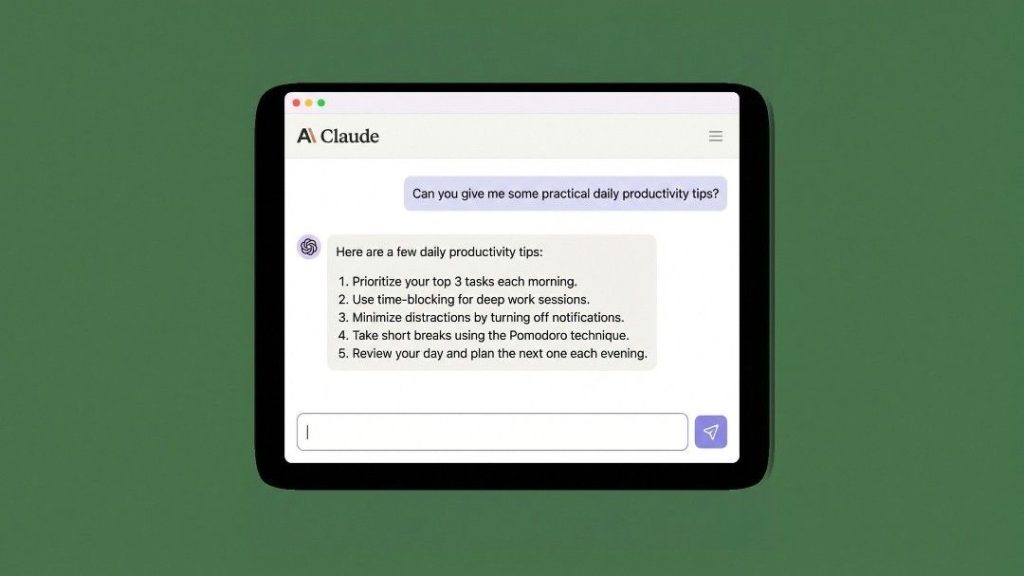
3. Claude AI
Coming from Anthropic, Claude feels more thoughtful than flashy. Rather than focusing on hype, the free version offers deep conversations, ethically grounded responses, and consistently strong writing support. Because of this, it’s a great ChatGPT alternative if you prefer accuracy over showy features. For example, I’ve leaned on Claude for brainstorming business ideas, and unlike many tools, it avoids the generic, recycled suggestions you often see elsewhere.
4. Grok
Built by xAI, Grok brings a fun, witty vibe to AI chats. Moreover, it’s free on platforms like X (formerly Twitter), making it excellent for developers or anyone who enjoys tech humor. Not only that, it can handle debugging code and explain complex topics without confusing jargon. For instance, I once got stuck on a tricky Python error; fortunately, Grok fixed it with a clever, cheeky explanation.
5. Perplexity AI
Think of this as AI-powered search on steroids. In particular, the free version cites sources for every answer, which in turn builds trust—so you no longer have to wonder where the information came from. For example, it’s ideal for fact-checking news or exploring complex topics like US elections. As a result, it has saved me from falling into countless rabbit holes.
Here’s a quick comparison table of the top chat-based tools:
| Tool | Best For | Free Limits | Integration Highlights |
|---|---|---|---|
| Gemini | Research & Images | Unlimited chats | Google apps |
| Copilot | Productivity | Daily queries | Microsoft Office |
| Claude | Ethical Writing | Message cap | Web browser |
| Grok | Coding & Fun | Platform-dependent | X platform |
| Perplexity | Sourced Answers | Unlimited | Search engines |
6. Grammarly
Yeah, it’s been around, but the AI upgrades in 2026 make it indispensable. Free plan catches grammar, suggests tone tweaks, and even generates full paragraphs. Perfect for emails or school papers. I use it daily, and it’s caught embarrassing typos more than once.
7. Canva Magic Studio
Canva’s AI features are free and turn anyone into a designer. Generate backgrounds, edit photos, or create presentations from text prompts. For small business owners in the US, it’s a lifesaver for marketing materials. Tried making a flyer for a local event – looked pro without effort.
8. Stable Diffusion WebUI
This open-source gem lets you create stunning images locally or via free online hosts. No subscriptions, just download and go. It’s a top ChatGPT alternative for visuals since DALL-E has limits. Experimented with it for custom artwork – the results blew me away, though it takes some prompt practice.
9. Meta AI
Available on Facebook and WhatsApp, Meta AI is free and focuses on social creativity. Generate stickers, chat in groups, or get recipe ideas. It’s underrated for casual use, like planning family gatherings. Privacy? They claim strong protections, but always be cautious.
10. You.com
A smart search AI with free agents for tasks like coding or writing. It pulls from open models and gives cited responses. Great for in-depth research without ads. I turned to it for a deep dive on health trends – thorough and unbiased.
Wrapping It Up
Diving into these free AI tools for 2026 has me excited about what’s next. They’ve evolved from gimmicks to essentials, helping Americans stay competitive in work and life. Start with one or two that fit your routine – you might surprise yourself with how much they help. Just keep an eye on updates, as AI moves fast.
Key Takeaways
- Free doesn’t mean limited: Tools like Gemini and Claude offer pro-level features without cost.
- Mix and match: Use Perplexity for facts, Canva for visuals – they complement each other.
- Privacy matters: Stick to reputable ones to avoid data issues.
- Experiment safely: Always verify outputs, especially for sensitive topics.
- Future-proof your skills: Learning these now sets you up for 2026’s AI boom.
FAQ
What’s the best free ChatGPT alternative for beginners?
I’d say Google Gemini – it’s straightforward, integrates with stuff you already use, and doesn’t overwhelm with options.
Are these tools really free forever?
Most have solid free tiers, but some might add limits if usage spikes. For now, in 2026, they’re accessible without paying.
Can I use these on my phone?
Absolutely, apps for Gemini, Copilot, and others work great on iOS and Android. Handy for on-the-go tasks.
How do I know if an AI tool is safe?
Look for big company backing like Google or Microsoft – they have stricter privacy policies. Avoid shady downloads.
Do any of these help with job hunting?
Yeah, Grammarly for resumes, Canva for portfolios, and Claude for interview prep. They’ve helped friends land gigs.
Is there a risk of AI replacing jobs?
It’s a hot debate, but from what I’ve seen, these tools augment what we do, not replace us entirely. You can focus on using them to boost your edge.